
Yup, that’s me! After four years of selling for TpT, I am finally in the newsletter as “Featured Teacher-Author!” So beyond happy!! Click {here} to see the whole newsletter. Click {here} to follow me on FB where I do a weekly newsletter shout out!
I am working on a few things and will do individual posts soon:
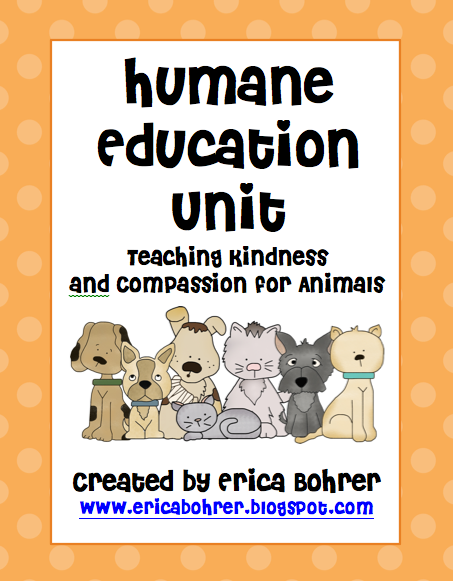
1. Go Orange For Animals Day & Humane Education Month both take place in April. I teach Humane Education in my classroom and host a dress down day. The proceeds go to the ASPCA and local animal rescue groups. I will post a big freebie pack soon. I am working on it now.
2. Ants – Our science curriculum includes ants. I have a lot of resources on bugs, but nothing on just ants. So I am making my own Common Core Ants packet. I just am having trouble finding ant clip art! UPDATE-Nikki of MelonHeadz is going to make me some ant clip art! Yay!
3. Literacy Centers – I get so many questions about my literacy center set up and rotation. I have taught many courses on literacy centers and I plan on sharing a packet with you for free.
4. Bears – We are now doing Rachelle Smith‘s Bear Unit. I have created a few supplemental materials for it, including this art center below. I want to take photos of my kids’ finished work before I do a post.


Scholastic is having its Dollar Days sale for digital downloads. Here are some great books I recommend. Click on the covers to check them out. Even my book is only $1!

Questions and Answers!
I answered questions in my “Questions Answered Post,” like “How do I get followers to my blog?” and “How did you get your blog all fancy?” I thought I would take this opportunity to answer a few more for you. So here goes:
1. What program do you use to make your packets? I use Word 2010. I have a Mac, but I did not want to start learning a new program all over, so I bought Microsoft Office for it. It was well worth it and I love how on Word 2010 you can change clip art to outlines and save documents as PDF files. I cannot figure out how to change page orientation within a document, but I have figured out how to combine PDF files and that works for me. If you want to know how to do something on your computer, please Google it. They have great tutorials out there and I am not expert. UPDATE – Mary of Adventures in Kindergarten has posted a tutorial on including landscape and portrait in one Word Doc, click {here} for the tutorial.
2. Where do you get your borders? I get them from various graphics stores…see below.
3. Where do you get your clip art and fonts? I have included the store buttons and links below or you can find them to the left of this post. I am so happy that The Digital Bake Shop now sells on TpT! I posted the link below. I also, recently discovered KPM Doodles and Graphics From the Pond. My brother’s girlfriend is setting up her own clip art store TpT clipart store and plan to use her products as well, click {here} to get her freebie! Or click the photo below.



4. I cannot open your Google Docs File, can you email it? You need to click “file” in the left corner and then click “download.” It will work!

Also, please do not send me requests to share any of my Google docs. I am overwhelemed by emails and do not have time to process these requests. Here is what you should do: 1. Go to my post and copy the address of the post where you found the link. Paste that post address in an email and send it to whoever you want to have the document. I make a tiny amount of money (from pennies to a few dollars a day) for my blog traffic and appreciate that you direct others to my blog.
5. This question is from my TpT dashboard: “Your packet came out with black lines/my computer says the file is corrupt/it looks blurry can you email me it?” No, I cannot, but don’t worry there is a simple solution. If you go to your purchases page, there is a flashing sign like the one below. You need to instal the newest version of Adobe. Problem will be solved.

6. Can you send me your product as a Word Document? Again, this is a big NO. Sorry but here is why: 1. The Terms of Use of my purchased clip art and fonts forbid me from sharing any non-pdf files. Pdf files have locked graphics, therefore you cannot copy the graphic and place it into a new document. 2. If I were to send you a Word file, your computer might not have the same version of Word as mine, you would not have my purchased font installed on your computer, and the margins would most likely be off. So even if I did send it, it would look totally different and would take you hours to fix. 3. It is not good business. I work hard creating my products and I don’t want edited versions/variations of my product out there for free or for sale. If you are reading this post, I know you would never do that (<3 my followers)! I have heard of people scamming TpT authors by contacting authors through TpT asking for files to be emailed to them. These people had never purchased the file to begin with.
7. Can you send me your lesson plan template? I am sorry but my lesson plan template is from A Teacher’s Plan. I had modified her “Is Everything Here?” plans. The good news is that you can now purchase “Erica” plans from Ms. M. How cool is that that I have plans named after me?! Click the pictures below to check them out. Of course I think they are awesome.




Click the picture above for my Easter/Spring Themed Posts! (Graphic from Doodle Bugs Paper)
That’s all for now folks! As always, you have permission to Pin! Check out my pin boards by clicking {here}!


Love all that you do! Congrats on the Teacher-Author Feature – WELL DESERVED!
Also, in Word, if you want portrait and landscape in one document instead of "Insert – Break -New Page" you can hit "Insert-Break-Section Break(Next Page)" Then you can change the layout afterward. Hope that helps!
Mary Beth
Run Teacher, Run
Thank you Mary Beth! I will have to try it.
Hey, Check out melonheadz clip art! She loooves creating new clip art for teachers to use, and you can request some very fun and cute clip art! 🙂 Her blog is http://melonheadzillustrating.blogspot.com/ I use a lot of her stuff and she is always posting freebies! 🙂
PS I love the "Erica" plans as well! And Congrats on being the featured author!
Thanks, Rachelle Smith just told me to contact her, too! She said yes! I am so excited.
My previous reading series had an ant story. I LOVE ants. I live in Florida – aka Ant heaven! Anyway, I used lessons from an AIMS activity book to teach about ants. We would make a huge ant mural with all of the different rooms in the ant burrow. We would crawl around like ants and use our antenna (pipe-cleaners) to feel around the tunnels and food. We made (and consumed) ants on a log. The kids learned so much. It was back in the good old days when I was allowed to let the kids explore and act.
I can't wait to see your unit!
~Andi
BTW, my kiddos were bananas over your Dr. 'You Know Who' Unit. I would have loved to give you positive feedback on TPT!
Thanks Andy!
Congrats on your feature on TpT .. I saw it this morning!
That "Easter is coming" graphic is from my Doodle Bugs Paper blog.. I made it last year.. how did you find that? Here is my original post with the graphic..
http://doodlebugspaper.blogspot.com/2011/03/easter-giveaway.html
I don't mind at all that you used it.. I was just wondering :o)
Kacey
Doodle Bugs Teaching
Doodle Bugs Paper
That is so funny, because I did a search through photos from my blog and it must have been from your contest that I reposted, last year. Thanks for not minding!
Updated it to include your link…Thanks again!
Congratulations! That is amazing and so well-deserved. You are phenomenal.
I still have not figured out how to save landscape and portrait in one file either. Please let me know if anyone ever shares their secret. Thank goodness for PDFs.
Thanks for sharing all of those great graphic websites. I use JW Illustrations and KPM Doodles, but I'm going to check out those you mentioned.
Enjoy your Sunday!
Lyndsey
A Year of Many Firsts
Great answers to questions! I'm a newbie blogger and am looking for all the help I can get! 🙂
✰Amber
Sparkles , Smiles, and Student Teaching
Hi Erica,
I saw your comment about being able to switch page orientation within a document. I finally figured out how to do it, so I thought I would whip up a little tutorial. I hope it helps!
http://adventures-in-kindergarten.blogspot.com/2012/03/how-to-have-landscape-and-portrait-in.html
Mary
Adventures in Kindergarten
Pinned it! Thanks so much.
I learned to change page orientation in Word by Google, my fav! Here's a link to the webpage that helped me. I hope it helps!!
http://howto.cnet.com/8301-11310_39-20011013-285/blend-portrait-landscape-pages-in-word-docs/
Angela
The Daily Alphabet
I just purchased your Reading Response Sheets and I LOVE them! I can't wait to use them in my classroom. I filled up my shopping cart with some other $1 deals too…thanks for the info about the sale. 🙂 I'm a newish blogger and I would love if you can stop by mine sometime. I'm doing a giveaway right now with some other bloggers so you can enter to win!
http://allthatglittersinfirstgrade.blogspot.com
Congrats on being the featured teacher author! Very well deserved!
Swimming into Second
I loved seeing you in the newsletter!! You totally deserve it!!!
Rachel
Ms. Rachel’s Room
Thank you Rachel!
Hi there!
Congratulations on being the featured teacher on TPT! If you are making something related to ants, you might want to consider TWO BAD ANTS by Chris Van Allsberg. It works so nicely with inferring, and predicting and looking at things from someone else's perspective, as well as perspective in terms of art. It can even work in terms of reasons to follow the rules!
Hope you consider it!
http://sherry-matheson.blogspot.com
Thank you! I ordered that book from Amazon. I have yet to read it, but I have heard such good things about it. Oh my this packet is going to be huge!! Thanks!
Hey Erica,
Have you heard of the book "There Was An Ant on a Railroad Track"? It is such a fun book! I used it to do a predicting activity, I read the book but stopped right before the end and had the kids write the ending to the story, they were so creative in coming up with ways to save the poor little ants life. Check it out, it's an amazing book for an ant unit:)
Congratulations on being featured, you are amazing!!
Angie
http://www.fallintofirst.com
No, I haven't I am going to order it today! Thank you.
Your so fabulous Erica! How could I not name the template after you. 🙂
Ms. M
Ms.M's Blog
A Teacher's Plan
Thanks for sharing some tips! I really appreciate it! Your blog really got me started in blogging and inspired me to step up my tpt store! Thanks again! I really wish I could be a kiddo in your classroom!
Ashley
http://firstgradesmartcookies.blogspot.com- I am having a giveaway if your interested!
Hi Erica, I enjoy visiting your blog on a regular basis but I have never stopped by and left a note to let you know how much I appreciate your blog. Congratulations on the new book and I am headed over to purchase it for my classroom in a minute.
Deb at Fabulously First
Thanks for the information about Dollar Days. I bought so many resources and paid so little. I cant wait to use them when I get back from mat leave in September. Happy Spring
Kelli