• Skip to primary navigation
  • Skip to main content
  • Skip to primary sidebar
  • Skip to footer

Ericas Ed-Ventures

Primary Education Ideas

  • Home
  • Blog
  • Classroom Decor Inspiration
  • Teacher Style
  • Shop
  • Contact

Setting Up a Classroom Photo Sharing Site

Every school year I set up a secure classroom photo share website.  I have always used Shutterfly.  They have this super easy to set up template for classroom share sites.  It is really so fast to set up and it is a closed, secure way to share photos and more.

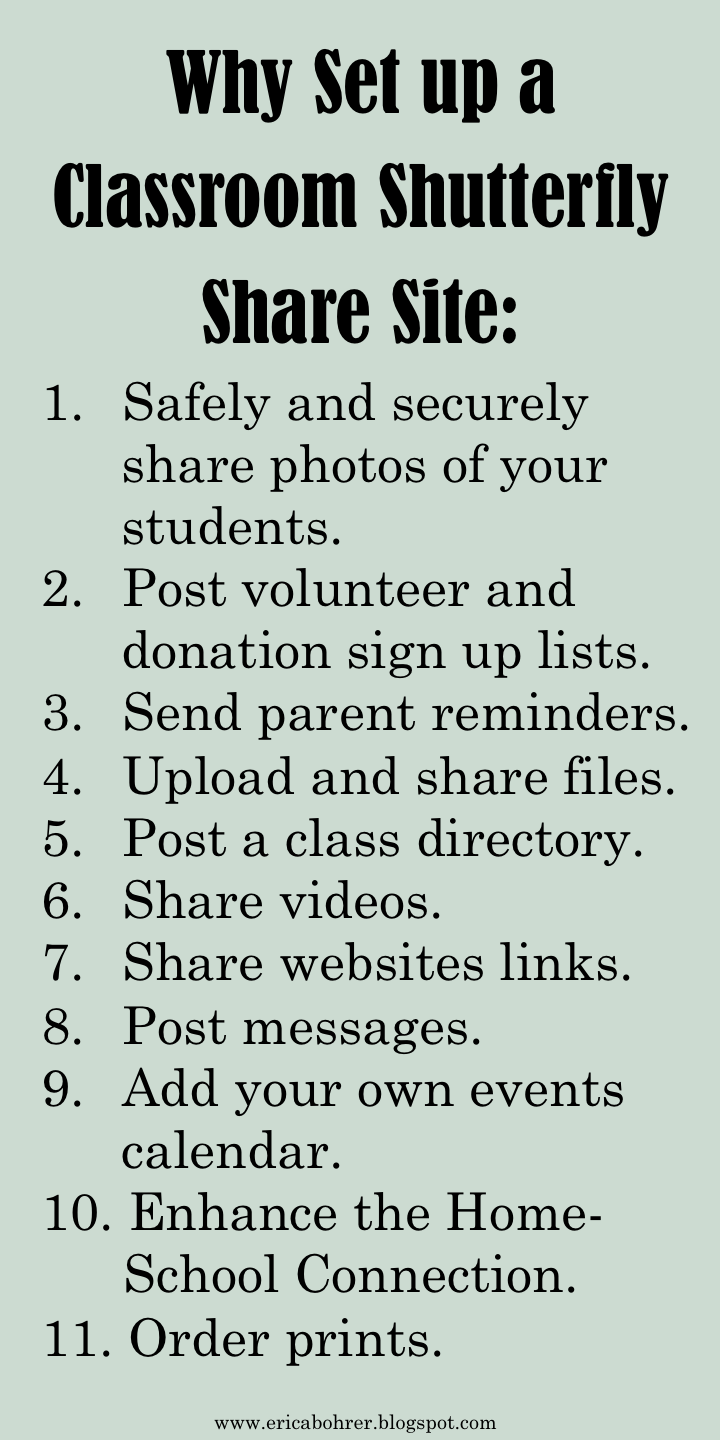
Right now you are probably asking yourself but why should I set up a share site?   Let me give you a list of the reasons I love using a share site:
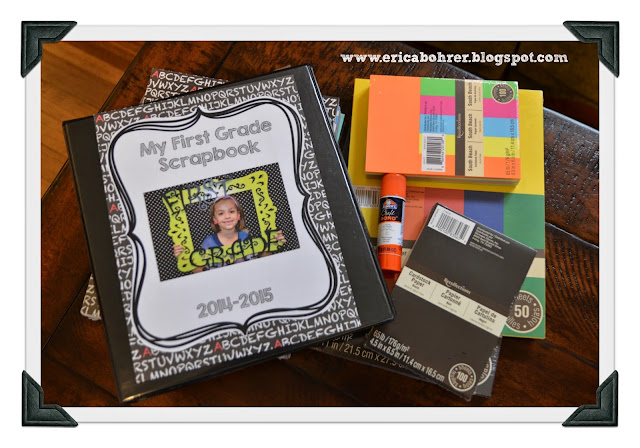
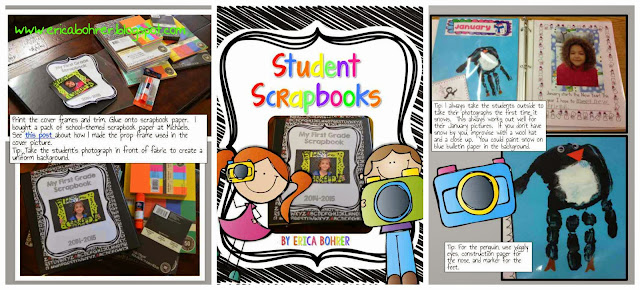
Each month I take photos of my students for their scrapbooks.  I share the photos on the Shutterfly site and order prints to be picked up at Target.   It really is so easy.
Here are some samples of my Student Scrapbooks, it’s not too late to start scrapbooks with your class:
 

Parents actually volunteer to pick up the monthly photos for the scrapbooks through the Shutterfly site!
How to set up a share site:
  • Sign up for a free Shutterfly account.
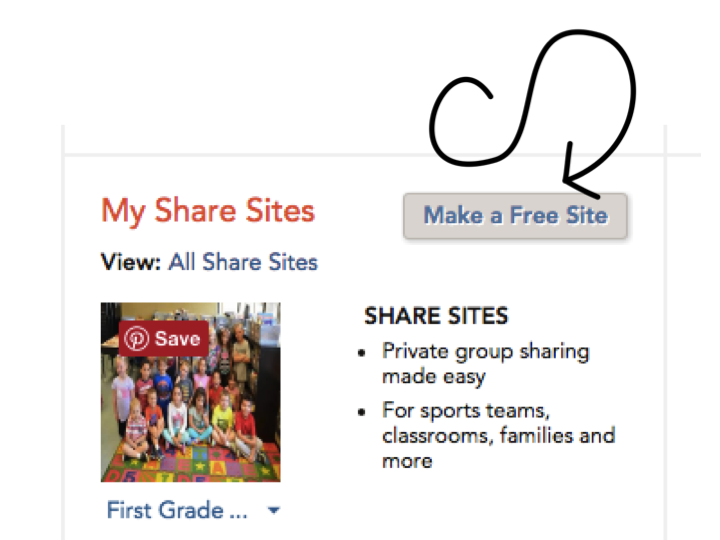
  • Scroll down once signed in, scroll down until you see “My Share Sites.”
  • Click “Make a Free Site.”


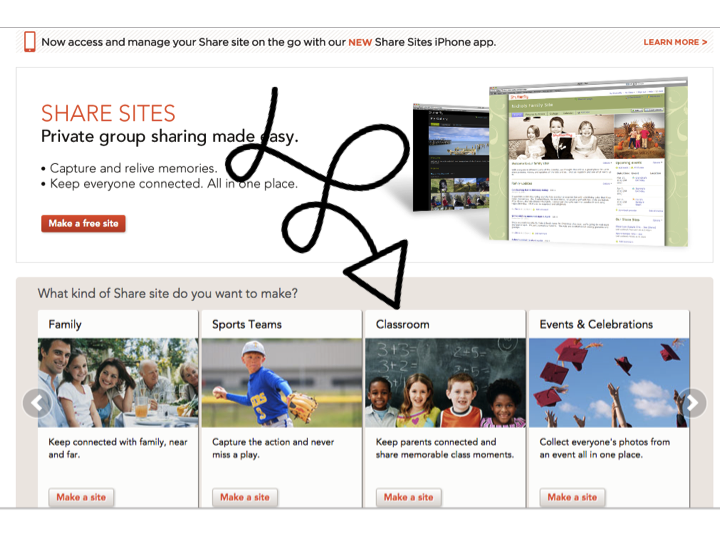
  • Choose “Classroom.”
  • Pick your background colors.


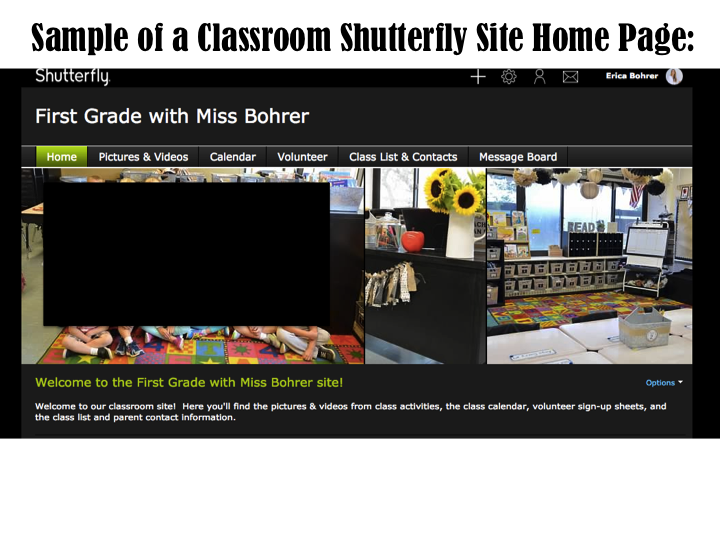
Here is an example of what my site looks like:
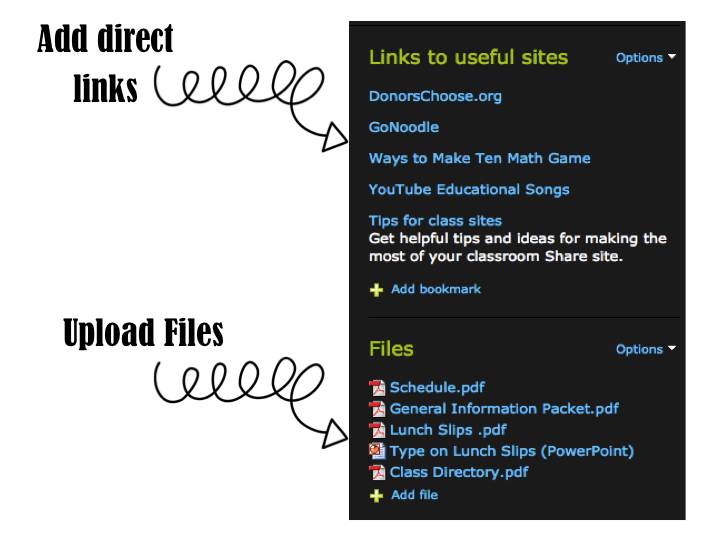
The site is way more than just photos.  You can add direct links to blog posts and upload files that you want to share with parents.
 

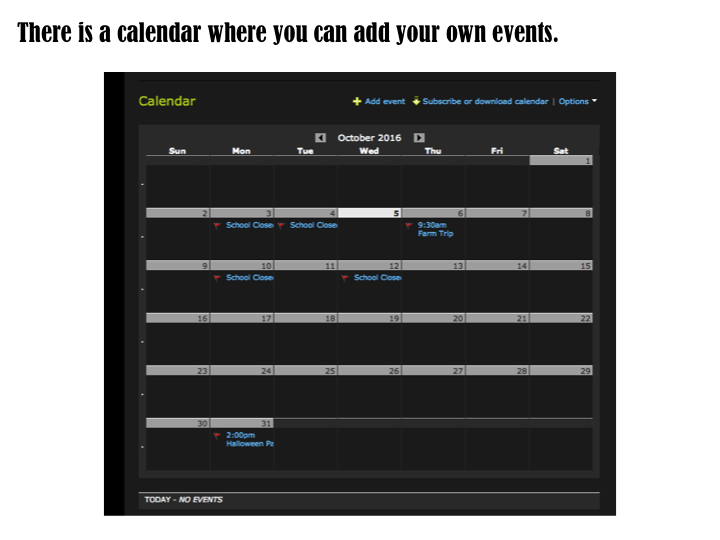
There is a calendar feature that you can add events to.  You can select when you want reminders for the events emailed to the parents.  I usually just use the default one which is two days before.
 

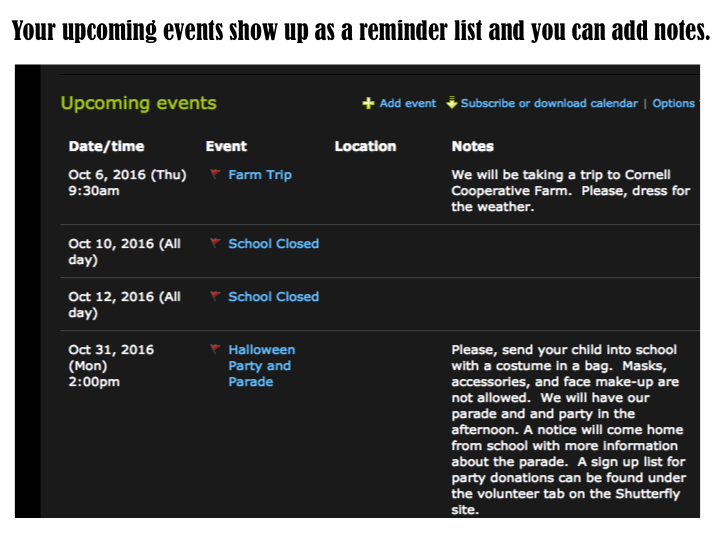
The upcoming events also show up as a list on the site.
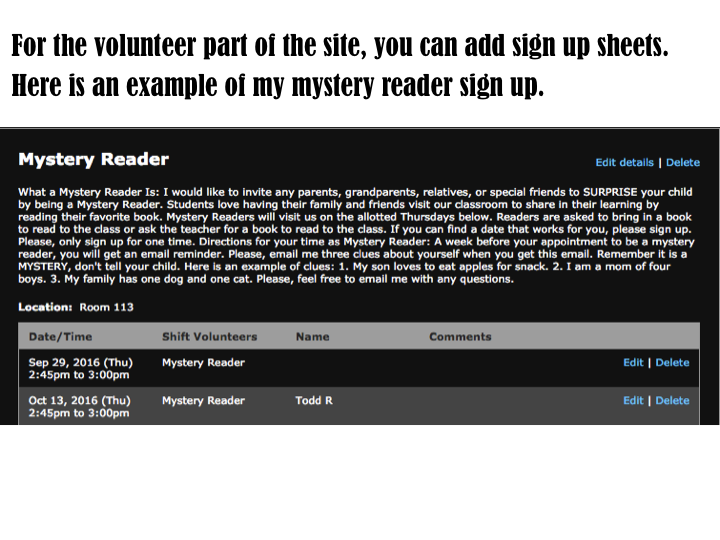
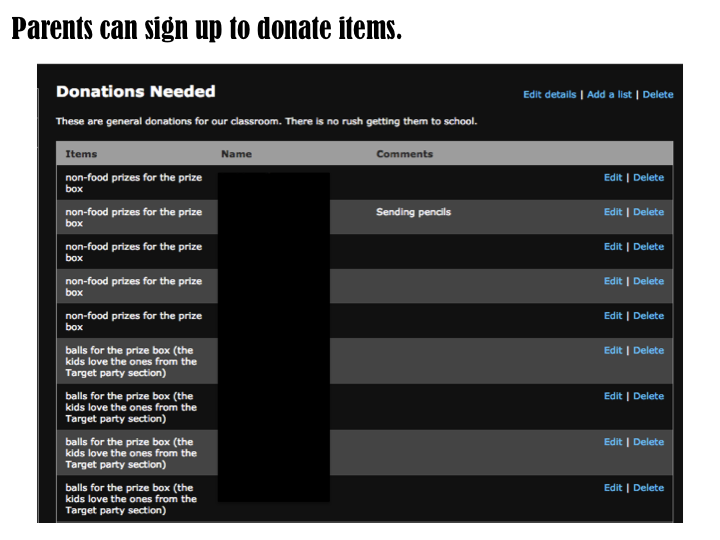
This is my favorite feature of the Shutterfly site. You can create volunteer lists for events or donations needed.  Parents put their name next to an item or to volunteer to come in to help for an event.   The site automatically sends the parent a reminder email before the event or before the donation is needed.   Instead of passing around a sign up list for class parties at Meet the Teacher Night, I post the party sign up list on the Shutterfly site.
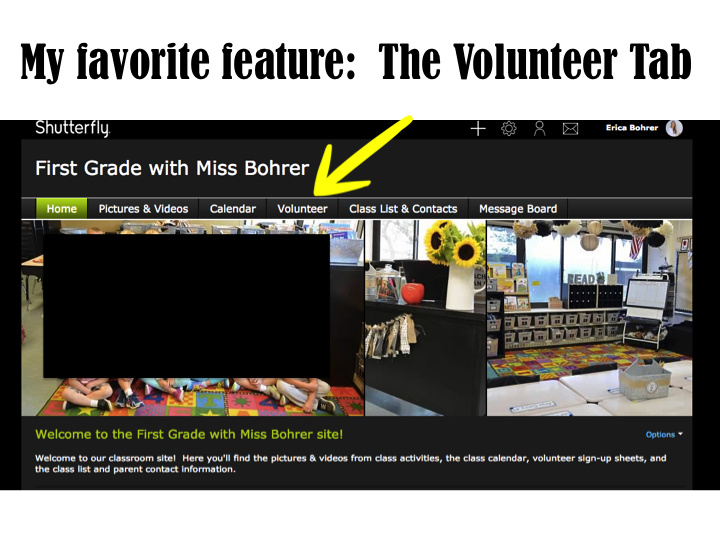
 

Another tip I suggest is encouraging your grade level teammates to set one up, too.  Then take some time together and go through and put in calendar dates and set up the volunteer forms.  My team sat with three computers and me at a laptop, we put in our volunteer sign up lists and a few important dates.  It was great to have more heads together to come up with ideas for the donation and class party lists.
Not ready to set up a Shutterfly site this year?  Pin and save for your “To Do List” for next school year.

Filed Under: Classroom Management, Uncategorized

Previous Post: « Fall Teacher Style
Next Post: 1st Grade Pumpkin Ideas & a Freebie »

Reader Interactions

Comments

  1. Mrs. Woodhams

    October 10, 2016 at 2:03 am

    Thank you for the idea! I love it! I have been looking into having a private YouTube channel for my classroom, but this is so much better with everything all together. One question I have is…are the parent names and email addresses visible to the members of the site? or just the owner?

    • Erica Bohrer

      October 10, 2016 at 2:05 am

      I think only the administrator of the site, meaning you, can see those. I am not positive though. You can also set up a directory on the site if parents do want to share their info with other parents.

    • Mrs. Woodhams

      October 10, 2016 at 3:26 pm

      Yes, I did see the directory. I just wanted to be sure my families would be able to keep private if that is what they wanted. Thank you!

  2. Allege

    October 23, 2016 at 12:37 pm

    What a great idea!! I just set up a page for my classroom and wondered about how to invite parents to view the page. I didn't put the names and e-mail addresses in and wondered if it was possible to invite parents without this information and how to do that? Thanks

    • Erica Bohrer

      October 23, 2016 at 11:10 pm

      You can share the link with parents and they can request to be added. Thanks for reading the post.

Primary Sidebar

  • Email
  • Facebook
  • Instagram
  • Pinterest
  • Twitter
  • YouTube

Search

Categories

Subscribe via Email

Featured Products

Disclosure: This website/blog contains affiliate links.  What that means is that when you click on a link to a merchant and purchase something, I get a small percentage of the sale at no additional cost to you.

Footer

Latest on Instagram

Select a size tablecloth for your classroom! This Select a size tablecloth for your classroom!  This is great for messy projects or your pencil station table.  Want the link for this easy to use roll?  Comment LINK below.

#amazonfinds #classroomfinds
Bat themed activities and resources for first grad Bat themed activities and resources for first grade!  Want the links to everything you see?  Comment BATS below and I will DM you.

#bats
🍂🎃 Looking for a FUN fall read-aloud activity that 🍂🎃 Looking for a FUN fall read-aloud activity that’s ready to go? Meet Stumpkin! 🎃🍂

This FREE digital resource is packed with everything you need for a Halloween/fall themed morning meeting + reading response! 📚✨

🍁 Morning Meeting
🎃 Stumpkin read-aloud
✏️ Reading response
💬 Discussion & comprehension
🧠 Activities to keep your little learners engaged

And the best part… IT’S FREE! 🙌

Perfect for an October morning or a cozy Friday activity! 🍂

💬 Comment STUMPKIN and I’ll send you the link! 🔗

Save this Reel so you have it when you’re planning your October lessons! ❤️

#firstgradeteacher #firstgrade #firstgradeteachers #teacherideas  #morningmeeting
My students LOVE that game. I will hear a random My students LOVE that game. 

I will hear a random meow and say “remember, to keep your headphones on!”

#teacherhumor #iready
🎂Happy 20th Birthday @teacherspayteachers ! I hav 🎂Happy 20th Birthday @teacherspayteachers !

I have been with TpT since 2008!  I remember looking for a place where I could share my computer created resources with other teachers without having to set up my own website.  TpT was suggested.  I started off with a few Microsoft Word created resources 😬. At the time, the founder of TpT, Paul and his brother Dana, were single-handedly running things. I loved getting their newsletters.

In 2009 I was in a NY times article for TpT about who owns the copyright to teacher’s lesson plan ideas…the schools or the teachers.  This was not the article the author or editors told me I would be in, but that is another story! 

I stuck with TpT and creating resources and then in 2011, the site really took off and I met all these other amazing teacher-authors and finally met Paul in real life! 

As a single homeowner on a teachers salary, I worked nights and weekends on TpT resources just to be able to afford to live in my little house.  Then something amazing happened, my hard work paid off and I was able to get myself some breathing room.  I am so grateful for TpT for giving my life purpose and financial freedom back in those days.  Even though I am married now, I am so proud of myself for being able to own that little house (I still have it and rent it out) and buy my forever home in my dream neighborhood all by myself.

So many of you found out about TpT and so many more sellers joined.  It truly became the open market place that Paul envisioned all those years ago. 

TpT is still a big part of my life all these years (and hair colors) later.  I know when I eventually retire from teaching, I will be able to do TpT full time.  I love creating and sharing resources (880 and counting) with all of you.

#happybirthdaytpt #tpt
Are you looking for editable parent-teacher confer Are you looking for editable parent-teacher conference slides? These slides will keep you focused, keep your conferences on schedule, and help you feel confident.  You can edit them to meet the needs of your classroom and then duplicate that for every student, adjusting the information as needed. 
Want the links?  Plus, I will send you my FREE editable reminder slips! Just comment LINK below and I will DM you :)

#parentteacherconferences
Teachers, is your wing/team looking for an easy Ha Teachers, is your wing/team looking for an easy Halloween costume idea?  What about The Spice Girls and everyone wears an apron with a different spice!
🎃What other group costume ideas have you done at your school?
Want the link to these aprons, comment exactly SPICE below and I will DM you the link.  It is auto set to send only for that word.

#grouphalloweencostume #halloweencostumeideas
Follow on Instagram

Copyright © 2026 · Website Design By Jumping Jax Designs