
• Skip to primary navigation
  • Skip to main content
  • Skip to primary sidebar
  • Skip to footer

Ericas Ed-Ventures

Primary Education Ideas

  • Home
  • Blog
  • Classroom Decor Inspiration
  • Teacher Style
  • Shop
  • Contact

Erica’s “Tell it Like it Is” Blogging and TpT Tips: Technology

There was such a positive reaction to my first “Tell It Like It Is” post a while back, that I decided to create another “Tip” themed post.   First,  I want to thank you for the positive comments.  I was not trying to be “The Boss of the Applesauce” but I wanted to get some simple, blunt tips out there.  I have been doing this a while and why make the same mistakes I did or waste your time if you don’t have to!

In most of my “Tip” posts, I refer to googling for tips or tutorials.  In this post, I am going to highlight some of the tutorials that I find most useful and give you a simple techie tip.  Please note, that I am no tech expert, I learn best by watching and then doing.

Making Products for TpT
Merging PDF Files on Mac

The number one question I get asked is,  “What program do you use to make your products in?”  I use PowerPoint!   In the past, I used Word and it was such a pain in the butt!  I ended up switching to PowerPoint because I read a tip thread in the TpT forums about how PowerPoint was so much easier to make documents with.  It really is!   I have a Mac but I bought Microsoft Office for it and I think the combo is great.  The only problem with PowerPoint is that you cannot change page orientation within one document.  So, I make two separate documents and two separate pdf files.  Here is how I combine PDF files using the PDF Preview program on Mac:
Here are a few of my favorite tutorials from other bloggers
I sign up to follow my favorite blogs via email as well as through the “follow me” buttons.  I love the emails because I never miss a post.  The emails are a bit delayed and don’t come out the instant a post does, but I still get them!    
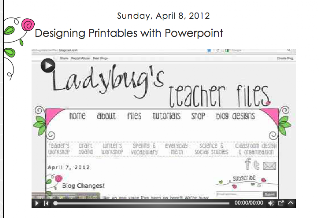
If you have not used PowerPoint to create files, check out Ladybug’s tutorial!   I really have learned so much through following her blog.  All of her tutorials are super useful!  She is so sweet and we have been blogging friends since the very beginning.   I cannot believe I had to ask her to make a tutorial about making categories on my blog!   I had no idea how to get them to display.   So thank you, Kristen!
Ashley Hughes is amazing!  If you have a topic you want her to create a tutorial on, she will.   She just did this post about aligning files in PowerPoint.  I totally learned something!  New or old blogger/sellers, you need to check in on her Technology Tuesdays.  So helpful!

For more of my favorite Technology Tips, 
check out my Pinterest Board.
*I have not read the marketing pins yet, but plan to do so on a rainy day.
Thanks for stopping by!

Filed Under: Blogging and TpT Tips, Uncategorized

Previous Post: « Visual Plans, a Freebie, and a Winner
Next Post: Five For Friday – April 5th »

Reader Interactions

Comments

  1. Amanda

    April 5, 2013 at 12:29 am

    Thanks for your tips Erica! As a relatively new blogger, I enjoy hearing what you have to say and appreciate the advice you give not only on blogging but also on creating TpT products. Thanks again!

    Mrs. Pauley's Kindergarten

  2. Hilary Gard

    April 5, 2013 at 12:29 am

    Thank you so much for the tips! I will have to come back and re-read these more thoroughly!
    Hilary
    Second Grade is Out of This World!

  3. Dawn

    April 5, 2013 at 12:38 am

    It's always nice to learn something new. I use PowerPoint, and I learned something new when I watched Ashley Hughes' tutorial! Thank you for sharing your tutorial. I wish PowerPoint would make it to where we could change the page orientation without having to go through all the other steps. On the upside, PowerPoint is WAY better than Word! 🙂

    Dawn
    Adventures in First with Mrs. Key

  4. Leslie - The Groovy Teacher

    April 5, 2013 at 12:42 am

    Love love love this, thanks so much Erica. You would not believe how I was doing it before, let me just say that my head was not at a good angle – nuff said!

  5. RealOCteachers

    April 5, 2013 at 12:42 am

    Awesome tutorial! I really appreciate you taking the time to help out us newbies.

    The REAL Teachers of Orange County

  6. FirstGradeBlueSkies (Jennifer)

    April 5, 2013 at 12:43 am

    Great Share, Erica!!
    Jennifer
    First Grade Blue SKies

  7. Across the Hall

    April 5, 2013 at 12:44 am

    Thanks for the tips! I agree, watch someone do it, then try it yourself. YouTube is super helpful and I LOVE Ashley's posts!

    Halle
    Across the Hall in 2nd Grade

  8. Kristen

    April 5, 2013 at 12:53 am

    Erica, that was an AWESOME first tutorial!!! (you sound adorable and not at all nannyish, by the way) Thank you for the sweet shout-out and thanks for teaching me something new! 🙂 🙂

  9. Special Teacher for Special Kids

    April 5, 2013 at 12:58 am

    THANK YOU Erica

    Iteachkidsabc@gmail.com
    :o) V.
    Special Teacher for Special Kids

  10. Kristy Lutton

    April 5, 2013 at 1:01 am

    Thanks so much for this post! I have been trying to find a video on how to merge files on Power point on my Mac. You totally made my day. I can't wait to check out Ashley Hughes video too! Her tips are super helpful. I love your blog!

    Kristy
    The Phonics Phenomenon

  11. Lovely Nina

    April 5, 2013 at 1:05 am

    Thanks for sharing the Merging PDF Files on Mac…I thought I was stuck with choosing one type of layout–phew!! Awesome tutorial!!
    -Lovely Nina
    http://www.lovelylittlelearners.blogspot.com

  12. Jessica Goodrow

    April 5, 2013 at 1:09 am

    Thank you so much! i just got a Mac and am still trying to figure out how to use it! Your video was really helpful and I plan to check out your other links soon.

    Jessica
    Literacy Spark

  13. Julie Marciniak

    April 5, 2013 at 1:11 am

    You are a published author and veteran blogger….I think that DOES make you Boss of the Applesauce!!! I am totally looking forward to more great tips and advice!
    Have a fabulous weekend Erica!
    Julie

  14. Ashley Sanderson

    April 5, 2013 at 1:14 am

    AWESOME tutorial! I have always wanted to know how to do this! Thank you!

    Ashley
    Flying High in First Grade

  15. Heather

    April 5, 2013 at 1:16 am

    Wow! I just figured out how to create on Powerpoint (like Saturday!) and was wondering how on earth I could do this. You are right, using Word is a pain in the butt and I am so happy to be creating on PP now. This makes it even better! Thank you so much for sharing!
    Heather Langley
    http://www.laughingandlearningwithmrslangley.blogspot.com

  16. katyemma

    April 5, 2013 at 1:18 am

    I have always wanted to know how to do that! Thank you so much! 🙂

  17. Kate

    April 5, 2013 at 1:50 am

    Thanks for the great tutorial, Erica! I am going to be switching over from making my files on a PC to making them on a Mac, so your tutorial came at the perfect time! 🙂

    Kate
    EduKate and Inspire

  18. Tiffany May

    April 5, 2013 at 2:01 am

    Erica you are simply AMAZING!! This teacher in Texas appreciates all that you share! I had to create a post about you today. =)

    Hugs
    Tiffany

    One Fab Teacher

  19. Sara Connell

    April 5, 2013 at 2:15 am

    Thanks so much for this post! It helps so much to learn all the tricks out there. Like you, I made all my files in Microsoft Word before. It is soooo much easier doing PDFs. Thanks to someone's blog post, I learned that. 🙂

  20. A Tale of 2 First Grades

    April 5, 2013 at 2:24 am

    Erica,

    Great post! I loved the sweet words that Tiffany May shouted out today on her blog about you never being too busy to return e-mails. LOVE THAT!

    Alison

  21. Rachel Lamb

    April 5, 2013 at 2:28 am

    every.single.time a buyer tells me they cannot open my file or it's messed up-I just copy and paste a link straight to your technical difficulties post! haha! Thanks for the tips again!
    Rachel

  22. Sarah Paul

    April 5, 2013 at 2:30 am

    You are so wonderful Erica! I need to check out Ashley's technology files. I'm sure I'll find out that I've been "taking the long way" with a lot of my tech needs. I figure things out so slowly and I've had to many "ah ha!" moments way too late in the game. 🙂 I need to watch me some videos! I was also a big googler early on. It's so nice to have these video tutorials now. So great that people take the time to do that! Thank you for this post Erica!
    Sarah
    Sarah's First Grade Snippets

  23. Kelli

    April 5, 2013 at 2:55 am

    AWESOME tips!! Thank you for taking the time to share!! I've been DYING to figure out how to merge the PDF files, but I haven't taken the time out to really figure it out!! I just suffer through and make them with my head tilted sideways!! haha 🙂

    Kelli

    Surviving the Little People

  24. Lisa G.

    April 5, 2013 at 3:20 am

    Thank you so much for the amazing tips!!!! You are such an inspiration 🙂

    Lisa
    Connecting the Dots: A Kindergarten Blog

  25. Laura McNish

    April 5, 2013 at 5:56 am

    Thank you so much for the great tips. I am just trying out the whole blogging and creating products so you tips will come in handy.

    Laura

    http://itsacrazylifebutitsmine.blogspot.ca/

  26. Stacy K. Wolf

    April 5, 2013 at 3:36 pm

    Thank you Erica!! I haven't uploaded anything to TpT, but it's in the plans for this summer!!

  27. Deirdre

    April 6, 2013 at 12:43 am

    What a super duper tip Erica! I have been wondering how to do that! Thanks so much!
    Deirdre
    A Burst of First

  28. Nicole Heinlein

    April 6, 2013 at 6:44 am

    Great tips! Thanks for sharing!!
    Nicole
    Teaching With Style

  29. Diane Hubacz

    April 6, 2013 at 3:33 pm

    Oh my gosh! Too easy! Thank you so much for sharing!

    Diane
    Teaching With Moxie

  30. Cecelia Schlosser

    April 6, 2013 at 8:57 pm

    Thank you for the tip. I have seriously been struggling with this for a few weeks! Love the video style blogging as well! Great tips… keep them coming!

    Celia

  31. Kay

    April 6, 2013 at 9:32 pm

    Thank you so much for posting this video Erica! I thought that I was not going to be able to merge my files due to the fact that I only have Adobe Preview. This definitely made my day!! 🙂

    ~Kay
    Sweetkindergartenkiddos.blogspot.com

  32. Kristi Luckenbaugh

    April 7, 2013 at 4:37 pm

    Wow, the tutorial is just what I needed! I have been trying to figure it out for a year now. Who would have thought it would have been so simple??? Thanks for sharing!

    Kristi
    Lucky In Learning

  33. Heather

    April 8, 2013 at 4:34 am

    I did this today on a new unit and it was so easy! Thank you for making my life so much simpler! (is that a word?)

    I mentioned you in my blog today, thought I'd let you know!

    http://laughingandlearningwithmrslangley.blogspot.com/2013/04/cinderella-around-world.html

    Thanks for all your help and inspiration!
    Heather Langley

  34. Sue Cahalane

    April 8, 2013 at 9:32 am

    OMG Erica you just solved a problem that has been driving me CRAZY since I became a TpTer a couple months ago!! I always use PP but hated how I couldn't change page orientation within the file. You're the best! Thanks so much for posting! (& your comment about us getting to hear your NY accent was cracking me up ! I have many friends with your accent- I live in Jersey!!) Thanks again for a great tech post

    ✿Sue✿
    ✿Science for Kids Blog✿

  35. Miss Walker

    April 9, 2013 at 6:07 am

    Like you, I learned the hard way and started making resources with Word, but since switched to Power Point and will never go back. Also, thank you for sharing with me a few weeks ago about using Picassa to create collages, so much easier! I love your updates and sassy wisdom!
    Kristen
    http://www.easyteachingtools.com

  36. Ashley Sanderson

    May 2, 2013 at 6:31 pm

    I have tried over and over to do this! But when I try to drag from one PDF file to another, nothing happens! Ugh. I must be doing SOMETHING wrong. Google is my next stop! 🙂

    Ashley
    Flying High in First Grade

  37. Denise

    September 11, 2013 at 11:22 pm

    Thank you so much for making this video, Erica. I found it referenced yesterday in the TPT forums. It is such a simple solution 🙂 ~Denise http://www.playlearnteach.org

  38. Amy

    January 3, 2015 at 4:05 am

    Thank you so, so much for this tutorial! I'm a visual learner, and this video helped me tremendously with my PDFs!

Primary Sidebar

  • Email
  • Facebook
  • Instagram
  • Pinterest
  • Twitter
  • YouTube

Search

Categories

Subscribe via Email

Featured Products

Disclosure: This website/blog contains affiliate links.  What that means is that when you click on a link to a merchant and purchase something, I get a small percentage of the sale at no additional cost to you.

Footer

Latest on Instagram

How do you handle this situation? Do you put the How do you handle this situation?  Do you put the new student at the end of the alphabetical list or do you start over with a new one?
I know I am next for a new student (I have 24 kids and everyone else has 25), so I am holding off until the night before the first day.  I wish I could just wait but I like modeling where their bags and mail goes, both of which are set up using numbers.

True story: One year on the first day, I had a no show.  Then I was assigned a new student.  That student fit perfectly in the alphabetical order spot that was left.  I should have played the lottery or something.  What were the odds of that?!

#teacherproblems #teacherhumor #primaryteacher
5 things that are worth the money for your classro 5 things that are worth the money for your classroom!

1. A color printer.  We don’t have color printers at school and this has saved me from having to remember to print something at home. I brought in mine from home and then bought a new one for home. 
2. MacBookAir - This is my personal laptop.  I bring it home on weekends and holidays but for the most part I keep it at school.  I did need approval to get it on our district WiFi, which meant my phone could not also be on the WiFi.  There is a one device per teacher rule.
3. A lay-flat binder for my plan book, dismissal binder, and sub binder.  These save so much space and they are flexible. 
4. A laminator at school and a laminator at home.  It took me many years before I caved and bought another one but again, it saves me from remembering to laminate at home and I can also laminate during snack time and preps. Matte laminating is also worth the splurge.
5. My teacher toolbox! This toolbox has been with me for over 10 years, I just change out the labels to go with my decor theme.  Everything has a place and it keeps my desk organized.

Want the links?  Comment “links” below and I will DM you them. 

#classroommanagement #amazonfinds #classroom #teacherhacks #firstgradeteacher
✨Center time just got so much better! ✨ These 1st ✨Center time just got so much better! ✨
These 1st grade phonics-based literacy centers keep my students engaged, independent, and actually cheering when I say it’s center time. 🙌
Year-long skills that spiral and build (short vowels → digraphs → blends → vowel teams → multisyllabic words and more), primary lined recording sheets, supportive visuals, and activities that are easy to prep once and reuse all year.

Perfect for Science of Reading classrooms, Fundations® users, Daily 5, or anyone who wants structured, decodable practice while you pull small groups.

My students know exactly what to do… and I get to teach without interruptions. Win-win! 📚💛

Comment LINK if you want a full year of ready-to-go phonics centers and a free sample set!
#PhonicsCenters  #LiteracyCenters #FirstGradeTeacher  #Phonics #WordWork ReadingCenters
🌻Sunflower Classroom Decor Room Tour🌻 This was my 🌻Sunflower Classroom Decor Room Tour🌻

This was my room decor before the pastels.  It worked well to incorporate my old farmhouse items (my decor theme before that) and as a bonus it made my Ukrainian students smile (the sunflower is the national flower of the Ukrainian).

Do you want the links?  Comment “sunflower” below. 

#classroomdecor #tptcheckoutmyclassroom #firstgradeteacher
Teacher Tip: Sort and store your printables for th Teacher Tip: Sort and store your printables for the upcoming weeks in a file tray above drawers for the days of the week.  This helps to keep you organized for the weeks ahead.
Save and use leftover colored copies as dividers. This makes them less bulky, than if you had used binder clips.
When you near the end of the week, pull the papers from the tray and sort into the weekday drawers and centers.

Have questions?  Ask them below!

#classroomorganization #classroommanagement #teachertips #teacherhacks
Cute Amazon teacher bracelets! I actually receive Cute Amazon teacher bracelets!  I actually received the Mrs. B one from a sweet student. 

Want the link?  Comment AMAZON below. 

#amazonfashionfinds #teachersfollowteachers #teacherstyle #amazonfashion
Create a student portfolio with banners! Start wi Create a student portfolio with banners!  Start with day one and save your display banners throughout the year to create a keepsake of the year for each student. 
The banners are print and go and some are Freebies in my store.  You could also grab the bundle and be set for the whole year! 

Want the links?  Comment “banners” below and I will DM you the link. 

#firstgradeteacher #studentwriting #teacherspayteachers
Follow on Instagram

Copyright © 2026 · Website Design By Jumping Jax Designs