• Skip to primary navigation
  • Skip to main content
  • Skip to primary sidebar
  • Skip to footer

Ericas Ed-Ventures

Primary Education Ideas

  • Home
  • Blog
  • Classroom Decor Inspiration
  • Teacher Style
  • Shop
  • Contact

New Year’s Resolution – Technology

Today, I am linking up with my buddy Kathleen of Growing Kinders with my technology resolution.
MY RESOLUTION:
Use the SmartBoard more and not just to show movies!
I have had my SmartBoard a few years and I do love it.  I use it everyday with our math series (Go Math) and attendance.  Yet, I don’t feel I am using it to it’s full potential.  I think I just get a bit overwhelmed with all that is out there for it.  So my resolution this year is to take baby steps and start utilizing it in a more interactive way.
How I use it now:
  • Attendance – one of my fellow first grade teachers made a cute practical file, which has the kids move their name to what they are getting for lunch.  It was so generous of her to share, I just changed the names of her students to mine.  I love how easy it is to edit a SmartBoard file!
  • I use it for my math series by logging in through ThinkCentral.  It is a great visual for the kids and they love the Curious George Videos.
  • I take little screen shots of my TpT products and insert them into SmartBoard files.  I do this for Venn diagrams especially!
  • Brain Pop Junior!  I love this site.  You seriously need to ask your district to buy a membership.  My students love Moby!  I love that the videos are short and educational.  I also love the little quizes at the end. 
  • Spelling City – This site is great for computer lab, but also a fun whole class way to play a game with spelling words. 
  • YouTube Videos – This is my favorite penguin video!!!

Please, link up with Kathleen by clicking here!  I hope to snag some more ways to use the SmartBoard.

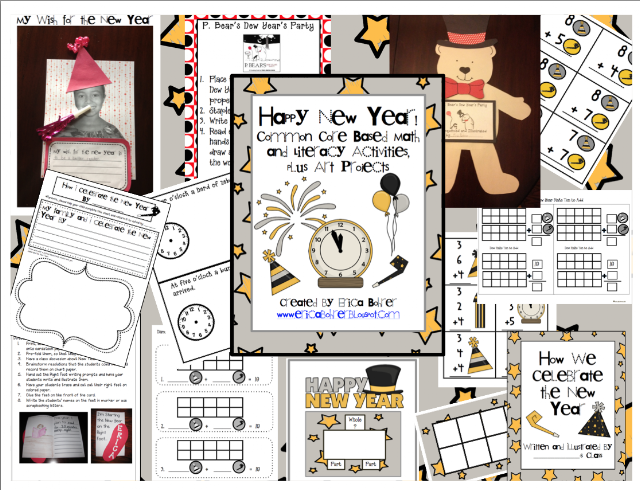
There is also a flash giveaway where you could win my New Year’s Unit among other awesome goodies!

Filed Under: Uncategorized

Previous Post: « A Hero’s Tradition – Merry Christmas
Next Post: Organization New Year’s Resolutions »

Reader Interactions

Comments

  1. Jeanne

    December 27, 2012 at 11:53 pm

    Thanks for sharing the Penguin video!

  2. FirstGradeBlueSkies (Jennifer)

    December 28, 2012 at 1:30 am

    Love the video!
    Jennifer
    First Grade Blue SKies

  3. Heather's Heart

    December 28, 2012 at 2:19 am

    I LOVE the penguin video! I love my SmartBoard and am going to try and start sharing all of the files I have created. My kiddos love United Streaming and Education City! =)

    Heather
    Heather's Heart

  4. Miss Nelson

    December 28, 2012 at 4:32 am

    Brainpop is my go to website 🙂 My kids love Moby too!

  5. Lisa at Fourth and Ten

    December 28, 2012 at 4:43 am

    I love using my Smartboard! It's overwhelming what is out there but I love checking out Smartexchange when planning units. 🙂 Most of the things on there are free and it's nice to not reinvent the wheel!
    Lisa
    Fourth and Ten
    Like Fourth and Ten on Facebook!

  6. Kelly

    December 28, 2012 at 5:41 am

    I only wish I had a smart board!

  7. CarolP

    December 28, 2012 at 12:45 pm

    I'd like my "resolution" to be to use my Smartboard more too! I've had it at least 10 years & don't use it to its full potential either. I mostly use it with my wireless doc cam (which I love, love, love!!!)- whatever I'm working on projects on my Smartboard for all the kiddos to see. Carol cpolston3@yahoo.com

  8. Lucilyn labajo

    January 6, 2013 at 7:19 pm

    GED or General Educational Development learning has become one of the best options among a lot of students who are looking for faster yet equally competitive ways to get into college or apply for a prestigious job. This is why a lot of people are thinking of getting printable GED practice test that can help train them to pass in the actual examination. Here are some reasons why getting one is important.

    free printable ged practice tests

Primary Sidebar

  • Email
  • Facebook
  • Instagram
  • Pinterest
  • Twitter
  • YouTube

Search

Categories

Subscribe via Email

Featured Products

Disclosure: This website/blog contains affiliate links.  What that means is that when you click on a link to a merchant and purchase something, I get a small percentage of the sale at no additional cost to you.

Footer

Latest on Instagram

🦃 Thanksgiving Crafts for Students! Looking for a 🦃 Thanksgiving Crafts for Students!

Looking for a cute alternative to turkeys?  Try these grateful squirrels with your students!  Students make a squirrel craft.  Then they write what they are grateful for on acorns, string them up, and have the squirrel hold them. 

Want the links?  Comment LINK below and I will message it to you!

#grateful #thankful #turkeycraft #novembercraft #thanksgivingcrafts
🎃Are you looking for a F R E E non-Candy gift to g 🎃Are you looking for a F R E E non-Candy gift to give your students for Halloween.  I have these easy H.W. Passes for you.  I have them in color and blackline. 

👻Comment FREE below for the link!

#freefriday #halloweenfreebie
I love how they ask this instead of actually telli I love how they ask this instead of actually telling me the one thing.  It is so cute but be warned it is definitely not going to be just one thing.

#teacherhumor #firstgradeteacher
First grade classroom favorites from Amazon! 1. Th First grade classroom favorites from Amazon!
1. These little pastel trays for crayons.  My students put the trays on their desks when they are coloring and no more crayons rolling all over the place.
2. The furniture gliders.  Your custodians will thank you!
3. Color ribbons to make finding Chromebooks quicker.
4. A clean white computer cart that has multiple shelves and an open back for all the wires.
5. The MVP of laminators, this Swingline laminator never lets me down.
6. A wipes container because I want to label everything and keep the sink area looking neat.
7. These super strong magnet clips.  I use them for so many things.  I even clip them to the underside of the blinds to hold a line to display work.
8. These school supplies Palm Pals and my trusty teacher toolbox. 

Want the links?  Comment AMAZON below and I will DM you. 

#amazonfinds #palmpals #firstgradeteacher #classroomdecor #teachersofinstagram
🍪✨ It’s almost GINGERBREAD DAY Time! 🏠🎄 Are you l 🍪✨ It’s almost GINGERBREAD DAY Time! 🏠🎄

Are you looking for a fun way to bring the magic of gingerbread into your classroom? ❤️ These gingerbread activities are perfect for adding a little holiday fun to your December lesson plans while keeping your students engaged!

Whether you’re reading gingerbread stories, creating adorable gingerbread crafts, or planning a full Gingerbread Day, these ideas will make your classroom extra SWEET! 🍬🤎

✨ Want all the ideas? Comment GINGERBREAD below, and I’ll send you the link to my blog post!

Save this for your holiday lesson planning & share it with a teacher friend! 🎅🏻

#GingerbreadDay #GingerbreadActivities #FirstGradeTeacher #HolidayActivities #firstgradeteacher
Teacher truth: class sizes matter to both students Teacher truth: class sizes matter to both students and teachers. 

It is a Sunday night and I am at home prepping for the week.  As a 25 year veteran teacher, I should have everything done.  I should be able to get everything done at school but I can’t.  Maxed out classes sizes mean that I can get much less prepping done during my preps. 

If you are a tired and frustrated teacher of a maxed out class.  I hear you and am right there with you. 

#teachertruth
Drop a 🎃if your class visited the pumpkin patch th Drop a 🎃if your class visited the pumpkin patch this week! 

I absolutely LOVED that our PTA made it free this year.  It made all 25 students very happy.  How does your school handle the pumpkin patch.

#pumpkinpatch #firstgradeteacher
Follow on Instagram

Copyright © 2026 · Website Design By Jumping Jax Designs